VLAN setup (pt1)
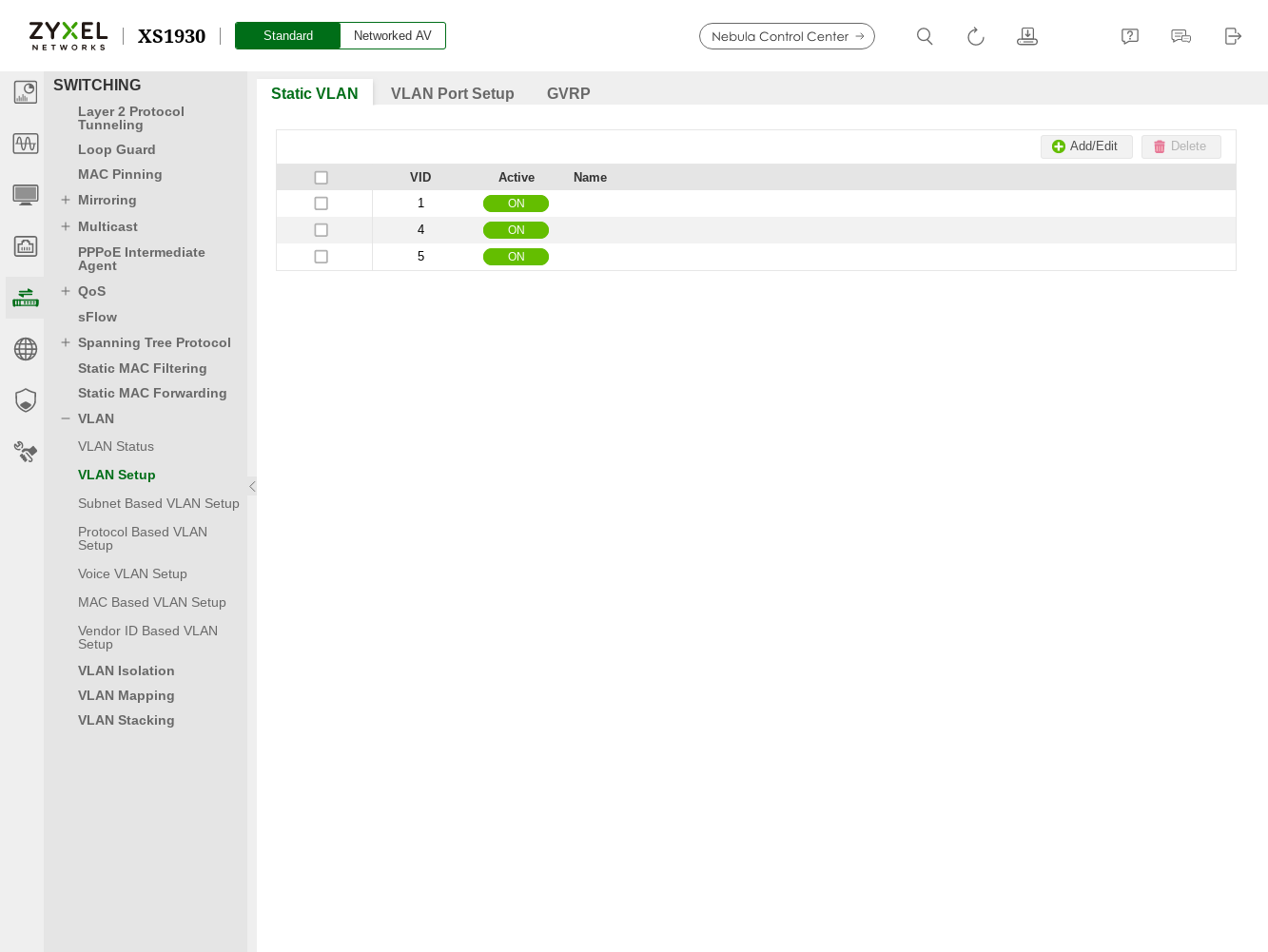
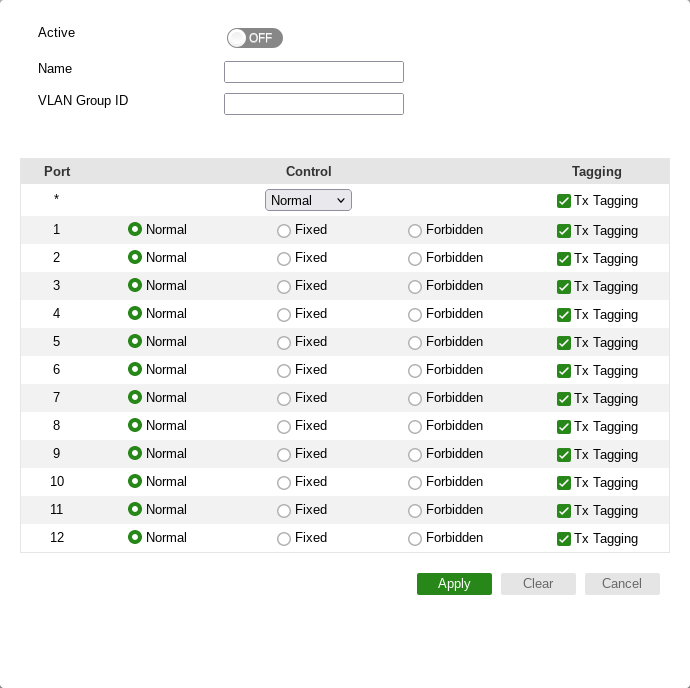
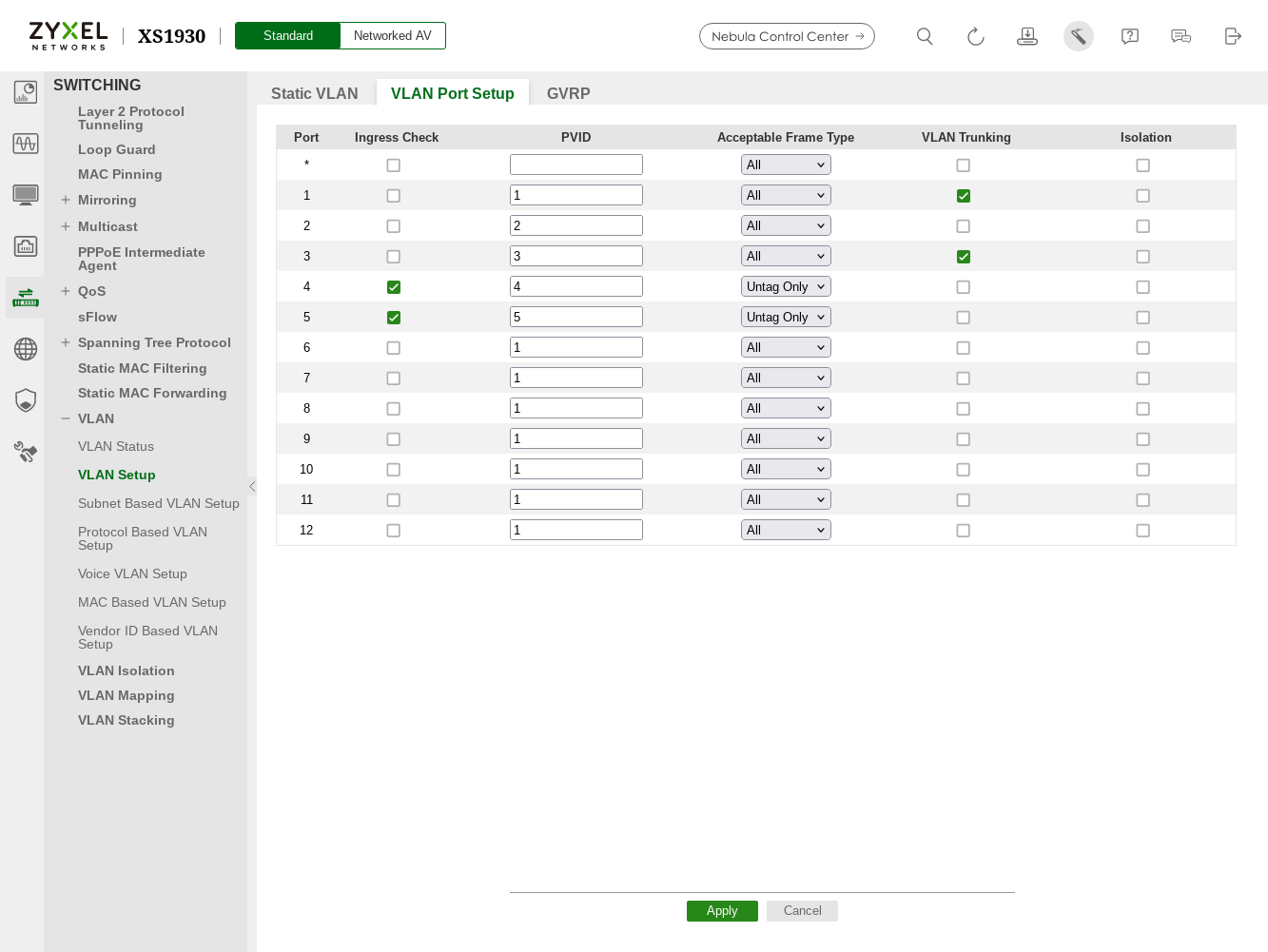
Basic vlan configuration I started configuring the network hardware and one of the fundamental pieces is setting up VLANs. Right now my physical ports are connected like this: Ports 1&3 are defined as VLAN trunks, and ports 4&5 are in their own separate VLANs. On AP-555 I configured the “Access point” “Uplink management VLAN” as 100 and the taikio-wifi network vlan as 101. All these VLANs (4/5/100/101) have matching interface configurations in R5S. I didn’t yet configure IPv6 on these interfaces, that is something that I need to do. Now that I got something working done, I feel the way Zyxel switch GUI represents them is bit awkward and not very clear at all. First we got this view where you can add/edit/delete VLANs: Clicking the add/edit button opens this VLAN editing dialog: The key things to note here is that “Normal” apparently means “GVRP”, and “Fixed” is what I’d consider normal VLAN assignment. “Tx Tagging” configures if frames are sent out as tagged or untagged. But then there is also this separate view where you can also configure port/VLAN properties: “Ingress check”, “Acceptable frame type”, and “VLAN trunking” all feel kinda partially overlapping to me. Breaking them down based on my understanding: I haven’t figured out “Isolation” yet, I hope it’s not important… It feels that “ingress check” and “vlan trunking” should not have any effect if the port is configured as “untag only”, but I haven’t yet figured out if that is really the case. Beyond that, “ingress check” and “vlan trunking” seem oddly similar, both control if tagged frames that do not match the pvid are forwarded. But there is some subtle difference between the two. To me the most confusing part is how these two different views are intended to interact. I think in practice it is ingress vs egress division; “Static VLAN” section configures how egress frames are sent, “VLAN Port Setup” defines how ingress frames are handled. The Wifi AP has its own set of weird VLAN related configurations. First weirdness is that despite the VLAN 100 being configured and apparently working for the “uplink”, that aspect of configuration does not appear anywhere in the configuration dump. That somehow implies that there are settings that are not included in the config dump, which is disconcerting. Additionally there are separate VLAN configuration options for “wired port profile” and so far I haven’t really figured out how they exactly relate to anything. It is weird that this wired port profile is configured in the same section where wireless networks (ssids) are also defined. Idk if the intention is that you could somehow daisy-chain other devices through wired ethernet port(s)?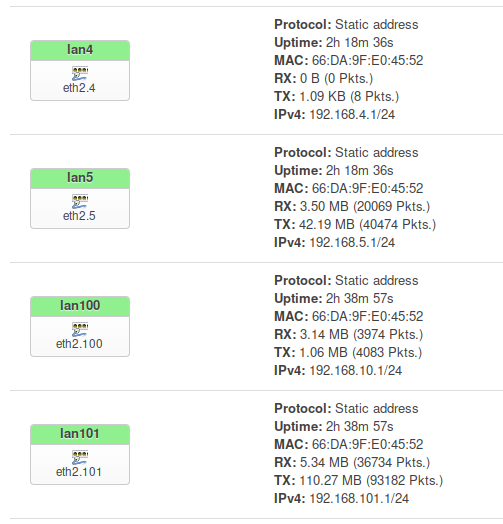
XS1930 VLAN annoyances
AP-555 VLAN weirdness